

How to Record a SimHub Replay
Learn how to record a SimHub telemetry replay for debugging purposes.
Why Record Replays
When you encounter bugs or unexpected behaviour, the best and most efficient way to solve it is for TrackThirtyTwo to replicate the exact circumstances that you experienced when the bug was present. This is almost impossible in every scenario, and so the closest possible solution is for you to send TrackThirtyTwo a SimHub Telemetry replay, that allows us to see what was happening at the time of your bug.
Navigate to Recording Controls
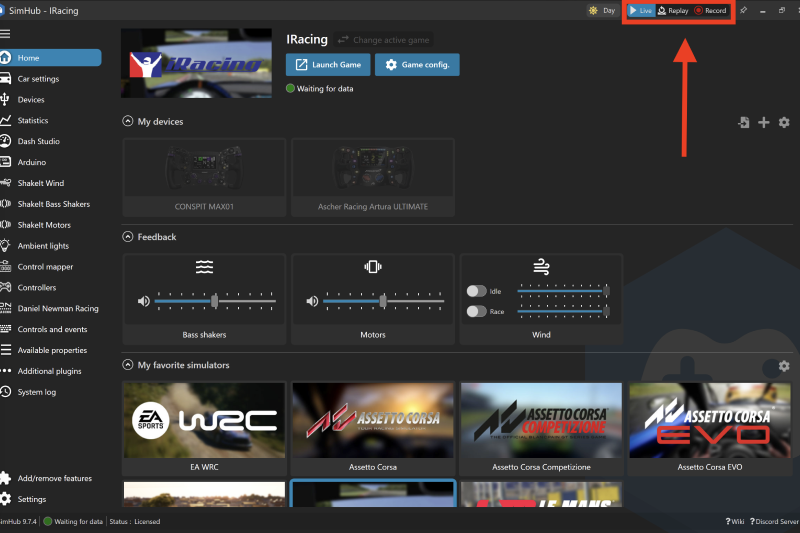
Navigate in SimHub to the main browser home page, and in the toolbar panel at the top right you will see 'Live, Replay, Record'.
Record the Issue
Simply press record and then drive your Simulator allowing the issue and bug to be present. When you have finished recording, press live and the recording will stop.
Related Content
Still need help?
Open a ticket and we'll get back to you with the article context attached.