

How to Export a SimHub Replay
Learn how to export a SimHub telemetry replay to share with TrackThirtyTwo support.
Open Replay Menu
To provide TrackThirtyTwo with the files, you will now need to navigate to save and export the replay file so it can be transferred to us for review. In the Replay toolbar at the top of SimHub screen, select the Replay option.
Select Your Replay
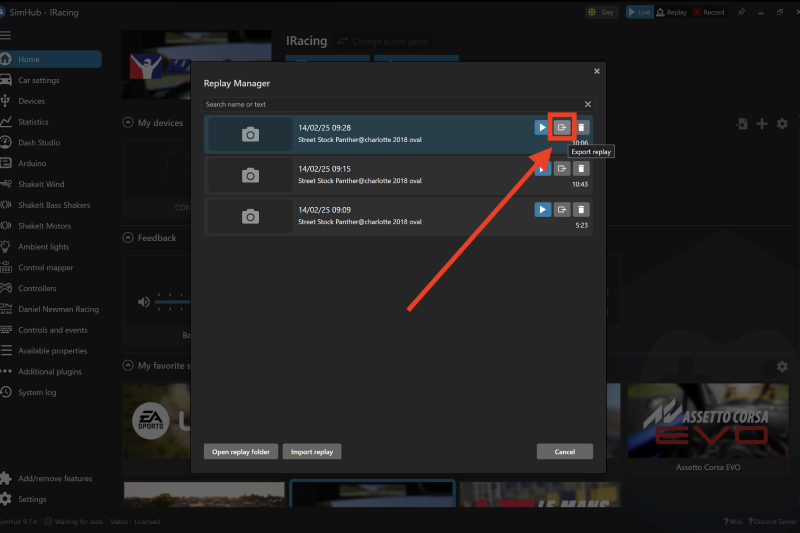
The Replay screen will then appear, with a list of replays available for the game currently selected labelling them with a time, date, vehicle and track. Select the replay you wish to provide.
Export the File
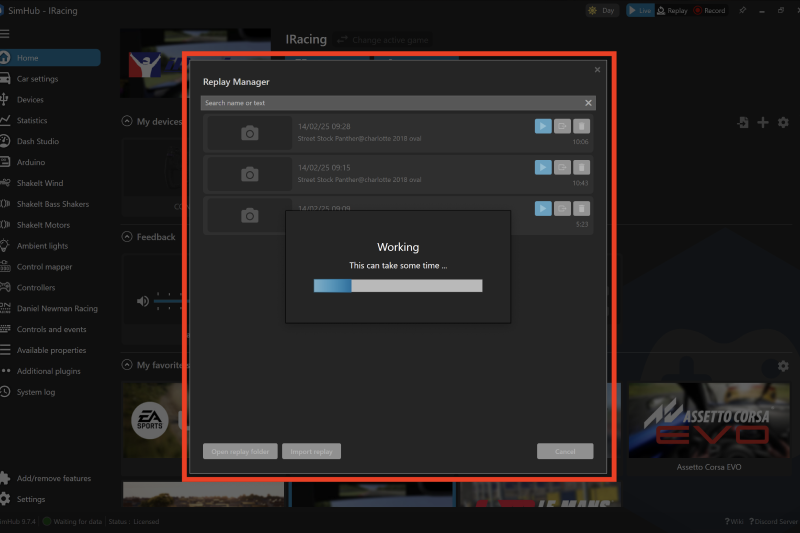
Press the export button and choose a destination folder for the export to complete and save. The replay will then process and save to your chosen destination. This may take a few minutes.
Related Content
Still need help?
Open a ticket and we'll get back to you with the article context attached.