

TutorialGeneral
How to Import a SimHub Replay
Learn how to import a SimHub telemetry replay file.
3 minutes
3 stepsOpen Replay Menu
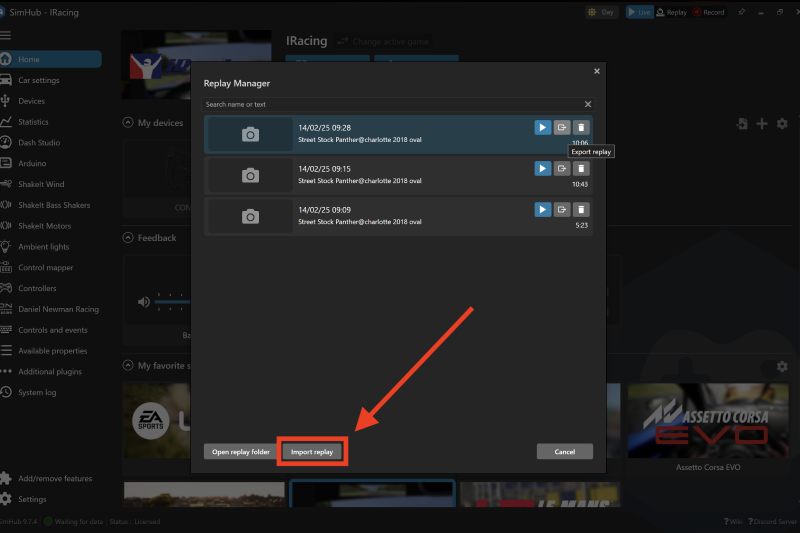
If for any reason you need or wish to import a replay file for the chosen and selected game, you will need to navigate to the same Replay menu at the top of SimHub and press the Replay function.
Import the File
You can then select the Import Replay function at the bottom left of the screen, and locate your chosen replay file as stored on your PC.
Access the Replay
Once imported the replay will be available in your list of SimHub replays.
Related Content
Still need help?
Open a ticket and we'll get back to you with the article context attached.